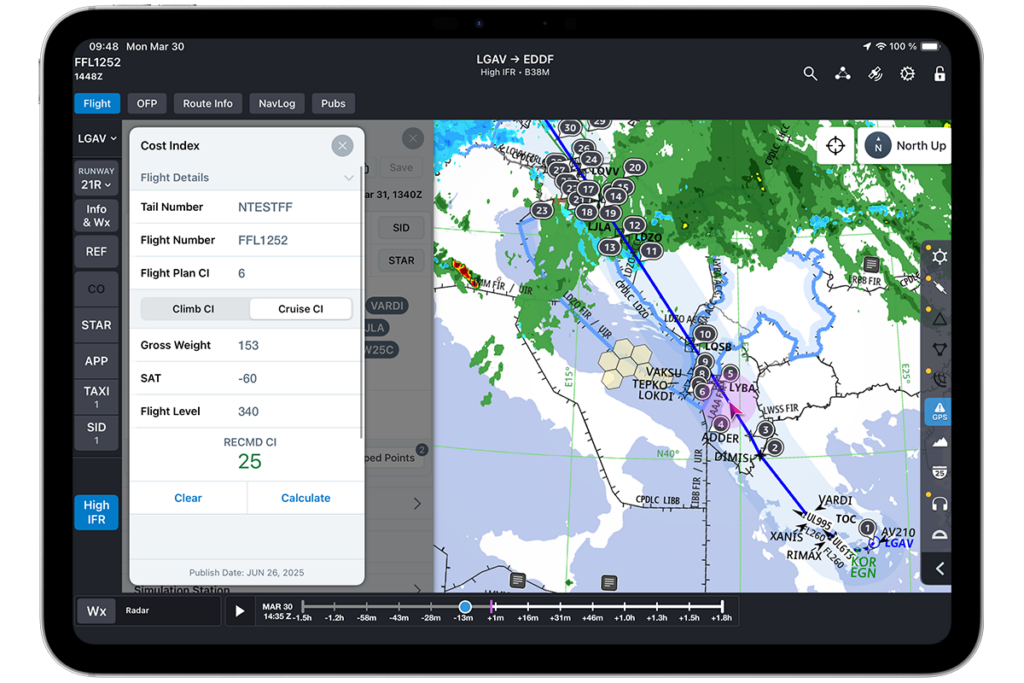
The latest version of FliteDeck Pro has begun rolling out to the market! Take a peek at the new features and functionality that are helping to enhance efficiency on the flight deck.
The operational environment for pilots is complex and demanding. Flight crews require digital solutions that improve efficiency and streamline processes, allowing them to focus on the successful execution of the mission. The latest update to FliteDeck Pro, version 5.2, introduces powerful new features specifically designed to reduce workload, simplify flight preparation, and enhance situational awareness.
This release integrates key functionalities that address the dynamic challenges of modern aviation. From intuitive data visualization to automated chart selection, FliteDeck Pro 5.2 is engineered to optimize cockpit workflow and support critical decision-making.
Put Graphical NOTAMs in the Hands of your Pilots for Enhanced Situational Awareness
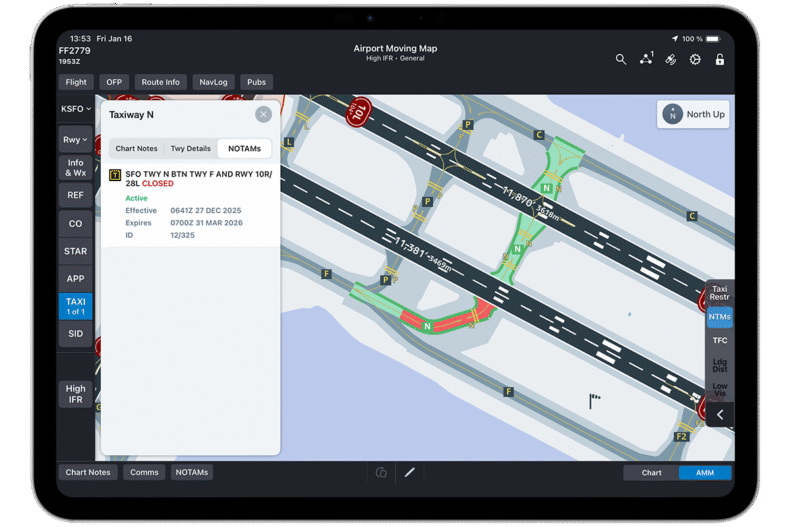
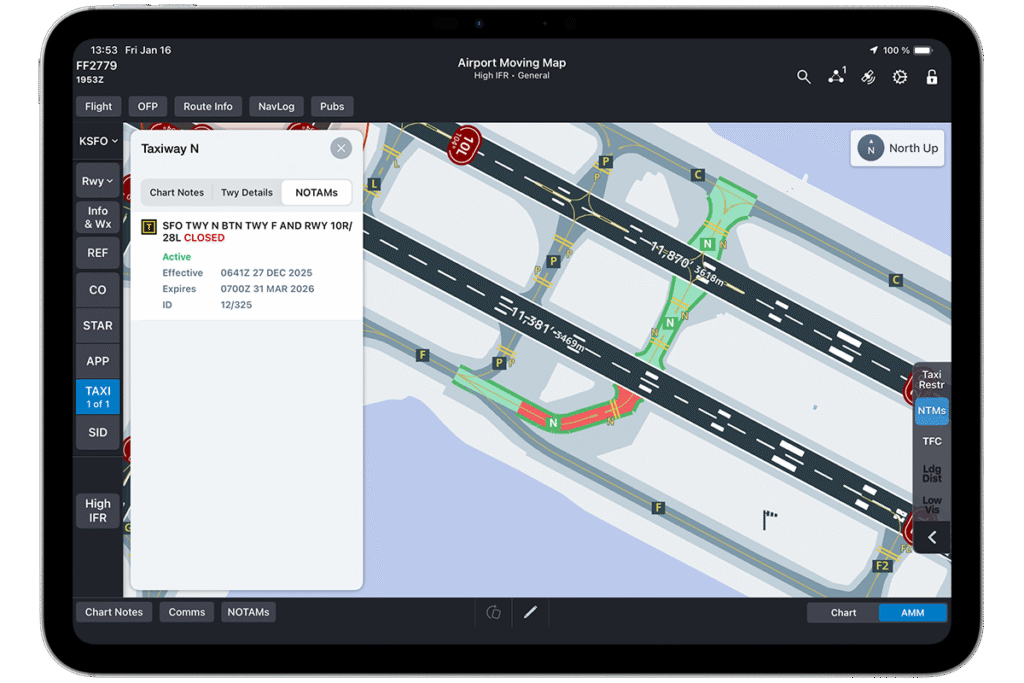
Graphical NOTAM depicting a Taxiway closure.
Reviewing Notices to Airmen (NOTAMs) is a critical but often time-consuming phase of flight preparation. Sifting through extensive text-based reports to identify relevant information adds to a pilot’s workload. FliteDeck Pro 5.2 mitigates this challenge with the introduction of Graphical NOTAMs.
This feature provides a clear, visual representation of critical information directly on the Airport Moving Map (AMM) and Enroute map. Pilots can now instantly see runway and taxiway closures, as well as company and state NOTAMs, without parsing lengthy textual descriptions.
Key benefits include:
Reduced Briefing Time: Visual overlays allow for rapid identification of pertinent NOTAMs, significantly shortening pre-flight preparation.
Improved Clarity: Graphical depiction eliminates ambiguity and reduces the potential for misinterpretation associated with text-based reports.
Enhanced Situational Awareness: By displaying NOTAMs in a geographical context, pilots gain a more comprehensive understanding of the operational environment at the departure, destination, and enroute phases.
In addition to these enhancements, we offer our new Jeppesen NOTAM Management Tool that sets a new standard in operational efficiency. This solution is engineered to filter irrelevant data and prioritize critical information, significantly improving the briefing process. It allows pilots and dispatchers to focus on the elements most crucial for safe and effective mission execution.
Improve Chart Management with Auto-Selection of SID/STAR Charts
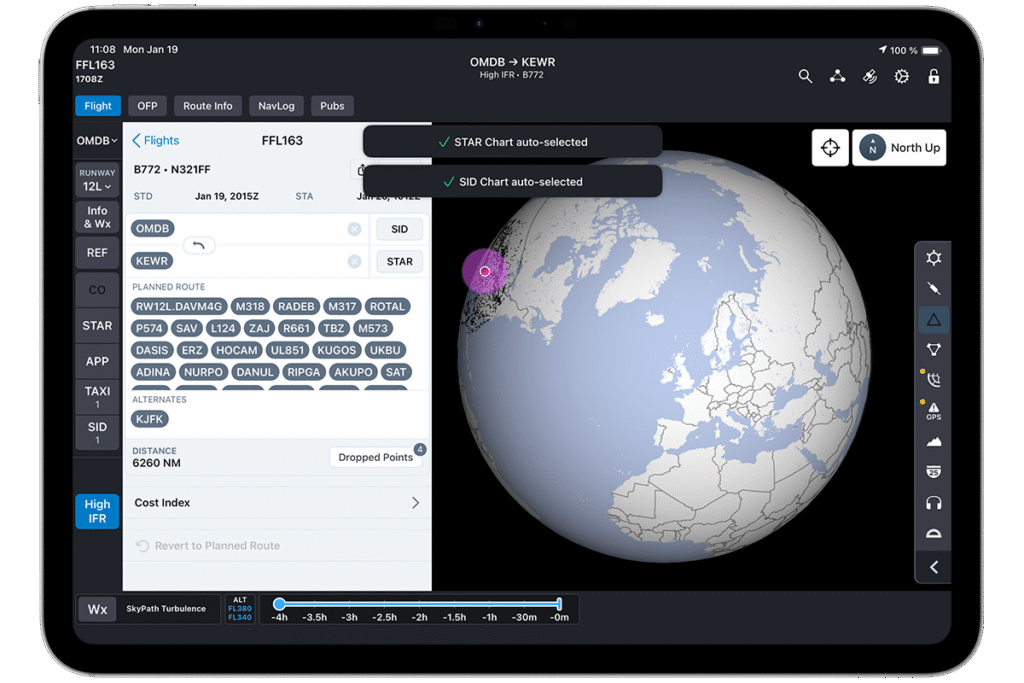
SID/STAR charts are auto-selected based on your route.
Managing Standard Instrument Departure (SID) and Standard Terminal Arrival Route (STAR) charts is a fundamental task that requires precision and attention to detail. Manually searching for and selecting the correct charts can be cumbersome, especially when dealing with last-minute changes.
FliteDeck Pro 5.2 introduces Auto-Selection of SID/STAR charts to automate this process. When a route, SID, or STAR is imported or selected within the application, FliteDeck Pro now automatically identifies and opens the associated charts. This intelligent automation ensures the correct procedures are immediately available, simplifying flight preparation and reducing the risk of error. This function streamlines workflows and allows flight crews to focus on other critical tasks.
Elevate Situational Awareness with Advanced Weather Layers
Effective weather assessment is paramount for flight safety and efficiency. FliteDeck Pro 5.2 enhances meteorological capabilities with two significant additions that provide a more complete picture of atmospheric conditions.
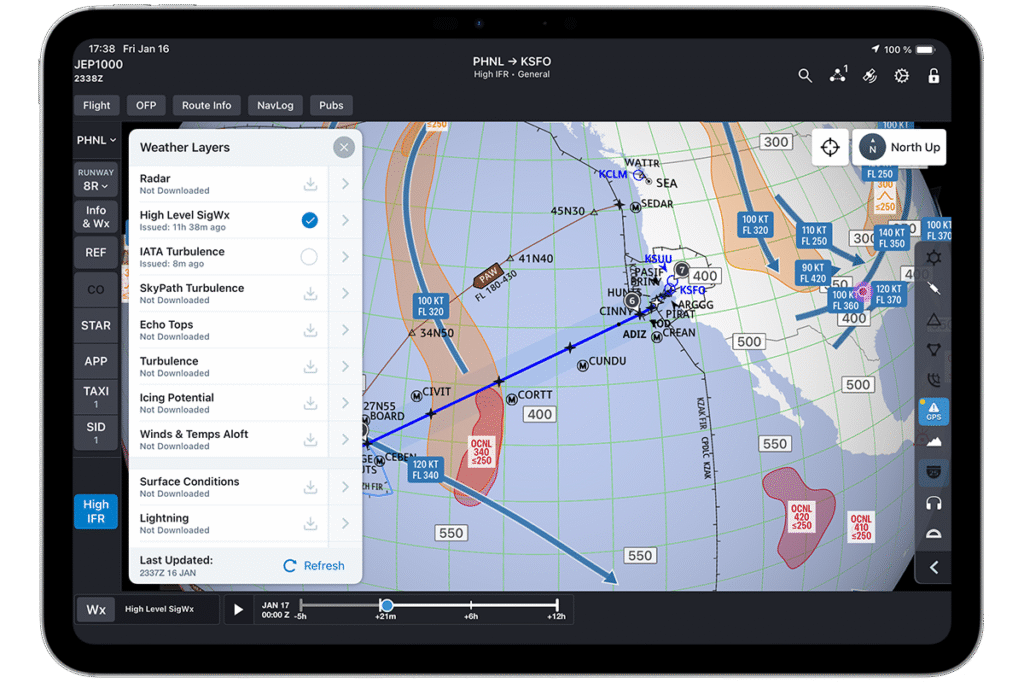
For high-altitude operations, understanding weather phenomena is crucial. The new High-Level Significant Weather Layer delivers vital information directly on the enroute map. This layer provides detailed insights into:
Icing conditions
Turbulence forecasts
Jet stream locations and velocities
Tropopause heights
This comprehensive data provides crews with the awareness needed to plan for a safe and efficient flight path, avoiding adverse conditions and optimizing fuel consumption.
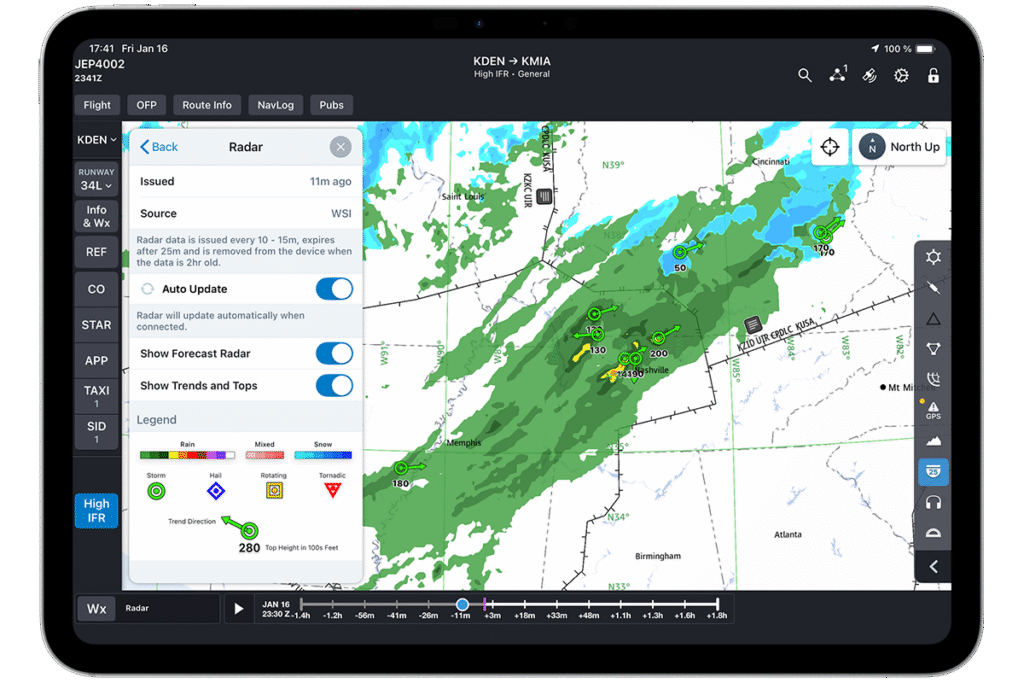
Radar Trends and Tops
The Radar weather layer can display storm direction and cloud-top heights.
For Radar returns in the U.S., you can now configure the radar weather layer to display storm trends (direction of movement) and cloud-top heights. This allows pilots to better anticipate the movement and vertical development of convective weather. By displaying trend vectors and tops data, crews can make more informed tactical decisions to navigate around potentially hazardous storm cells, enhancing safety and passenger comfort.
Peer-to-Peer Weather Sharing
Ensuring data consistency across the cockpit is vital for safe and coordinated operations. With the new peer-to-peer weather sharing capability, downloaded weather information is automatically transferred between devices running FliteDeck Pro. This ensures that both pilots have access to identical, up-to-date weather data, minimizing discrepancies and promoting aligned decision-making.
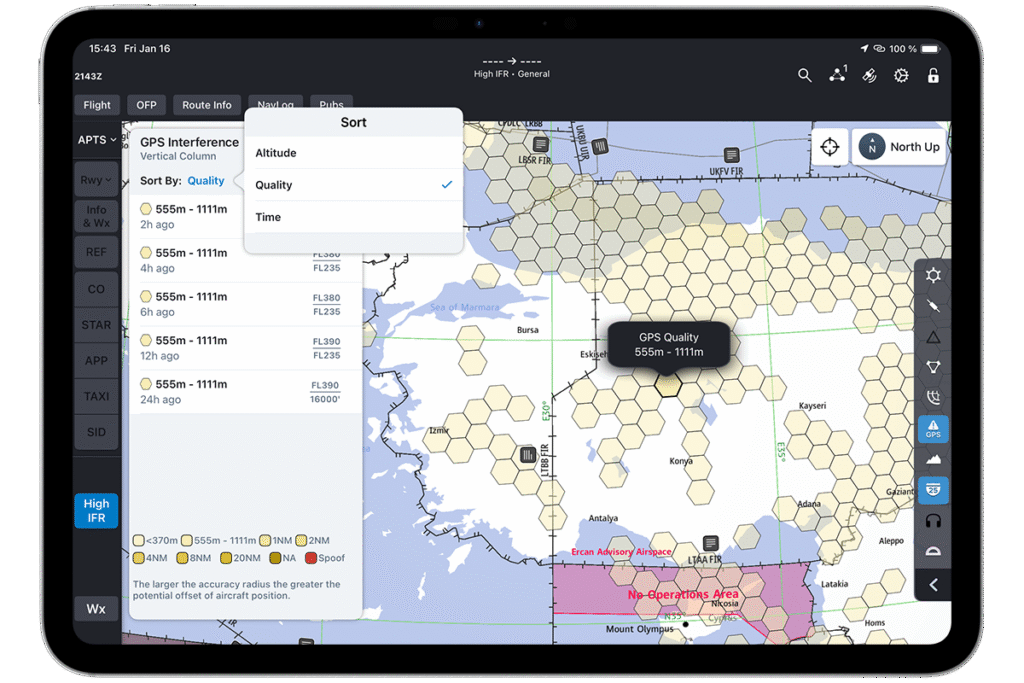
GPS Interference and Spoofing Areas
GPS interference and spoofing areas are displayed on the enroute map.
The enroute map now includes a dedicated layer highlighting areas of known GPS interference and spoofing, powered by Flightradar24 data. This allows pilots to proactively identify regions where navigation systems may be compromised, supporting timely contingency planning and supporting the continuity of safe operations.
Briefing Enhancements
A suite of new functionalities has been added to the Briefing module, delivering improved access and control over essential flight documentation.
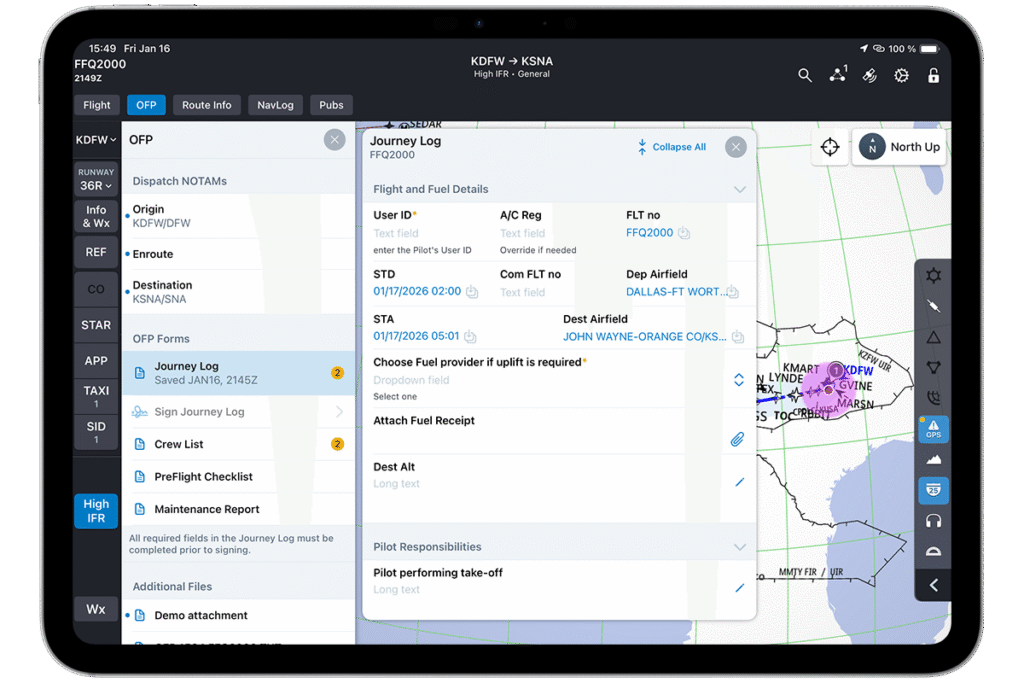
eForms/Journey Logs
eForms and Journey Logs let you capture the exact data your Standard Operating Procedures require.
Pilots can now interact with electronic forms, including Journey Logs, which are accessible under the OFP Forms section when a flight with an Operational Flight Plan (OFP) is loaded. This transition from paper to digital streamlines documentation, ensuring mission-critical data is consistently available and easily managed.
OFP – MELs/CDLs Integration
Minimum Equipment Lists (MELs) and Configuration Deviation Lists (CDLs) transmitted with the flight plan are now accessible directly from the OFP Summary. This seamless integration ensures all limitations and allowances are reviewed promptly, reducing the risk of oversight and expediting flight preparation.
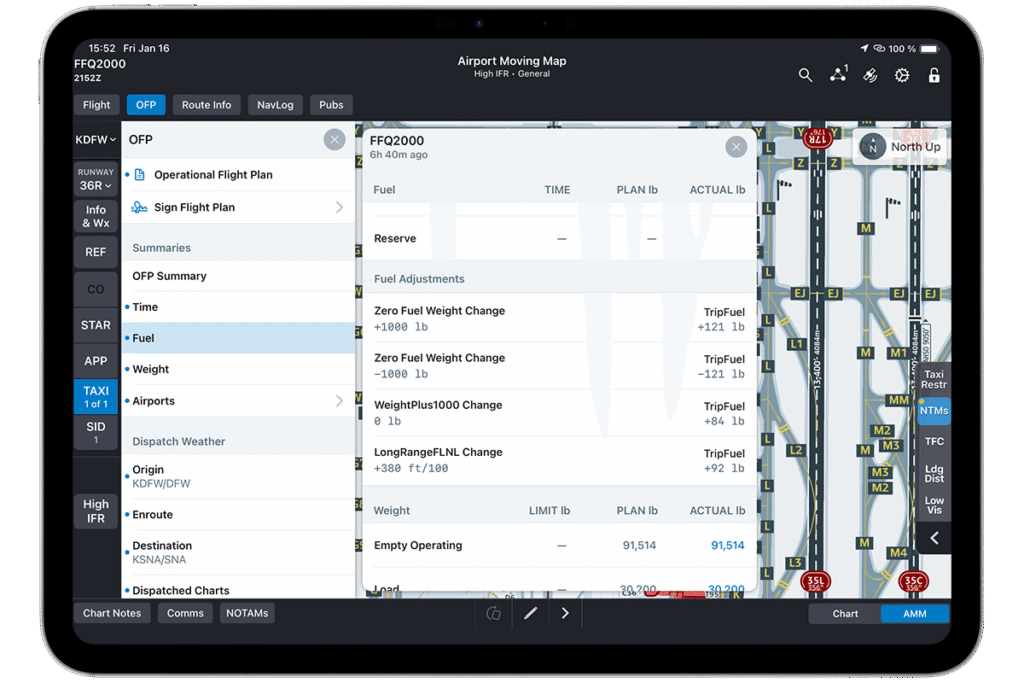
Fuel Adjustments Display
View fuel adjustments authored and published by the flight plan provider.
Any fuel adjustments authored and published by the flight plan provider can now be viewed at the bottom of the Fuel sheet during the briefing process. This provides immediate clarity on fuel planning, ensuring that all operational factors are considered before departure.
Jeppesen Dispatch Integration
FliteDeck Pro 5.2 now supports integration with Jeppesen Dispatch flight planning and briefing service. This allows crews to search, view, and download comprehensive flight packages directly within the application. This improvement reduces administrative workload and ensures critical documents are accessible prior to flight.
Cost Index Improvements
The Cost Index tab has been refined for greater operational clarity. Climb and Cruise Optimizations have been separated into individual tabs, and the page can now automatically retrieve data for cost index optimizations when connected to an Aircraft Interface Device (AID). This targeted data presentation enhances operational efficiency and supports optimal performance management.
Our Commitment to Pilot-Centric Innovation
The release of FliteDeck Pro version 5.2 reinforces our commitment to providing pilots with advanced digital solutions that address real-world operational challenges. By automating tasks, visualizing complex data, and integrating critical information, this update empowers flight crews to manage their workload more effectively.
These enhancements are designed to improve processes on the ground and in the air, allowing pilots to maintain focus on what matters most: the safe and successful completion of their flight.
To learn more about the full capabilities coming with FliteDeck Pro 5.2, request a tailored demo.